Field service app · AI-written inspection reports One login. Phone and web. Every job, start to paid.
ProField is a field service app for home-service pros: book the job on the web, inspect on the phone, the AI writes the report, send the invoice, get paid. iPhone, Android and the web dashboard, one account. $19.99/month with everything included, 14-day free trial, no credit card.


Last updated
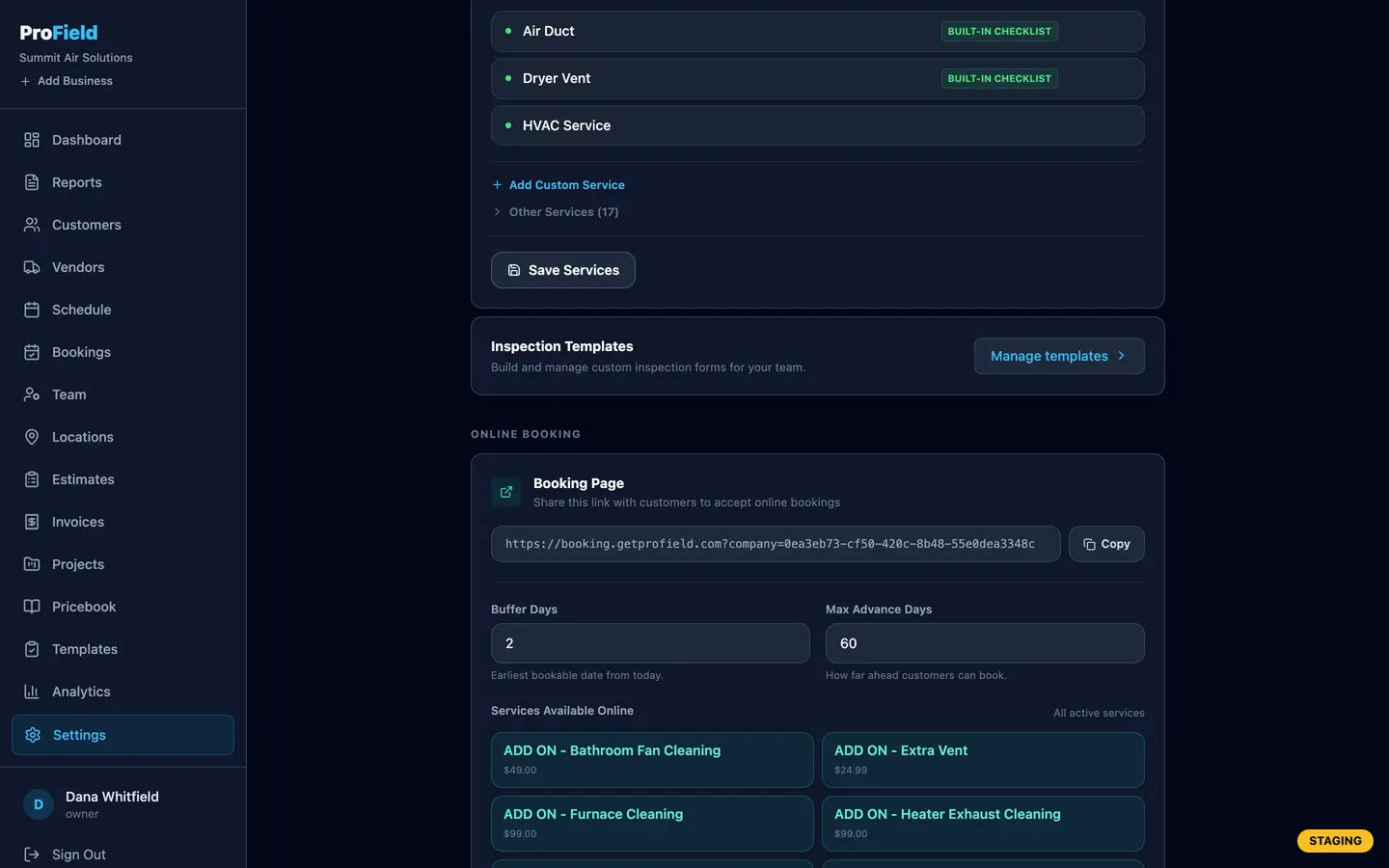
App + dashboard
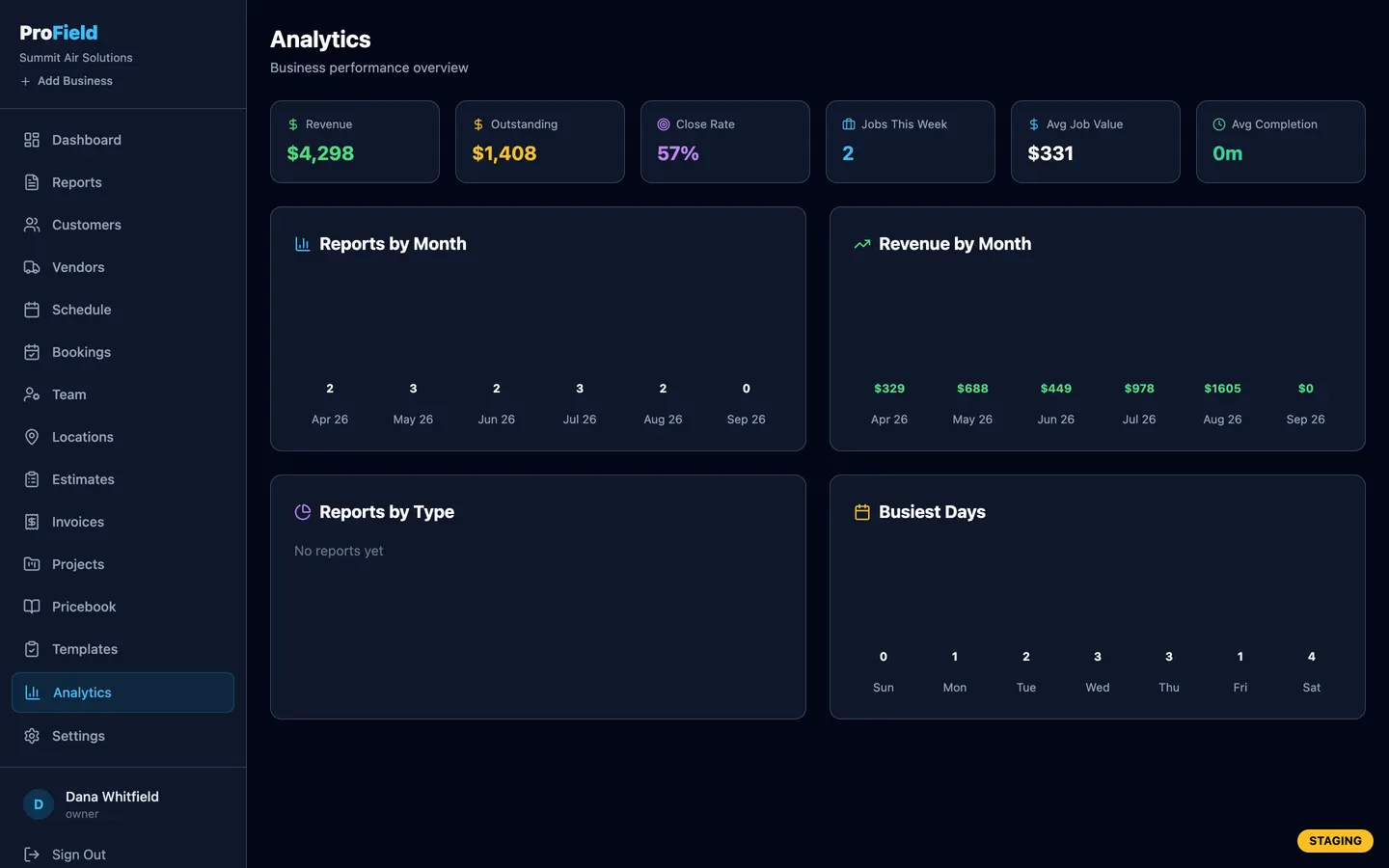
The phone runs the job. The dashboard runs the business.
One account, one set of data. What the tech does on the phone is on the office screen the same second, and the other way around.
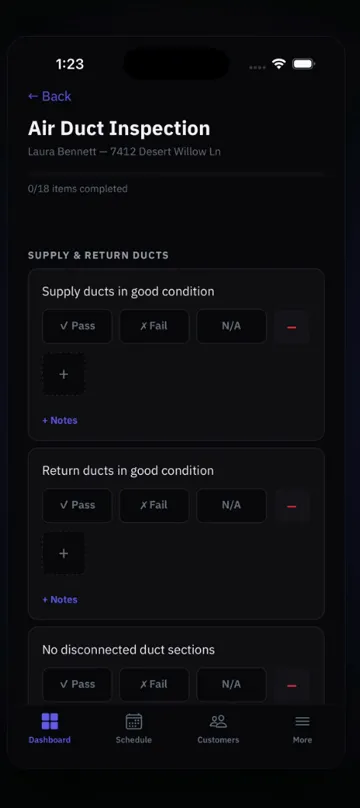
- Inspection checklists that work with no signalPass, fail, N/A, notes. Saved on the device, synced later.
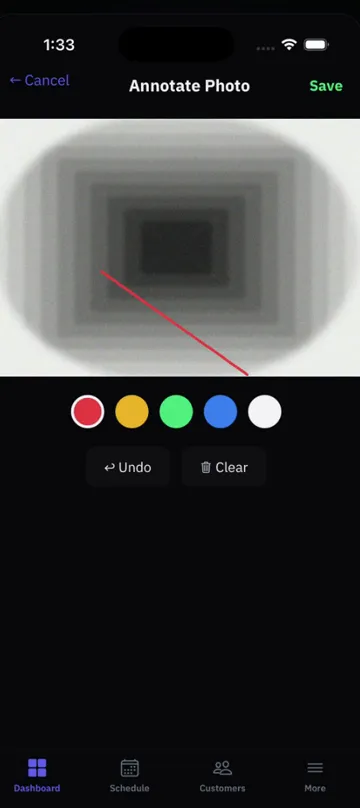
- Photos that land in the reportBefore and after, marked up, next to the finding they document.
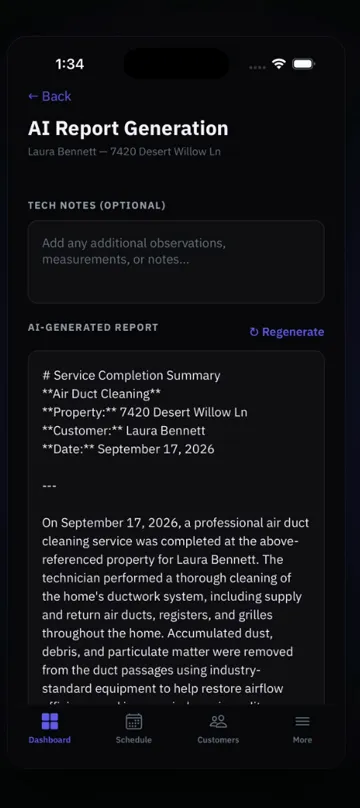
- AI-written reportThe narrative writes itself in about 30 seconds. You read it and approve it.
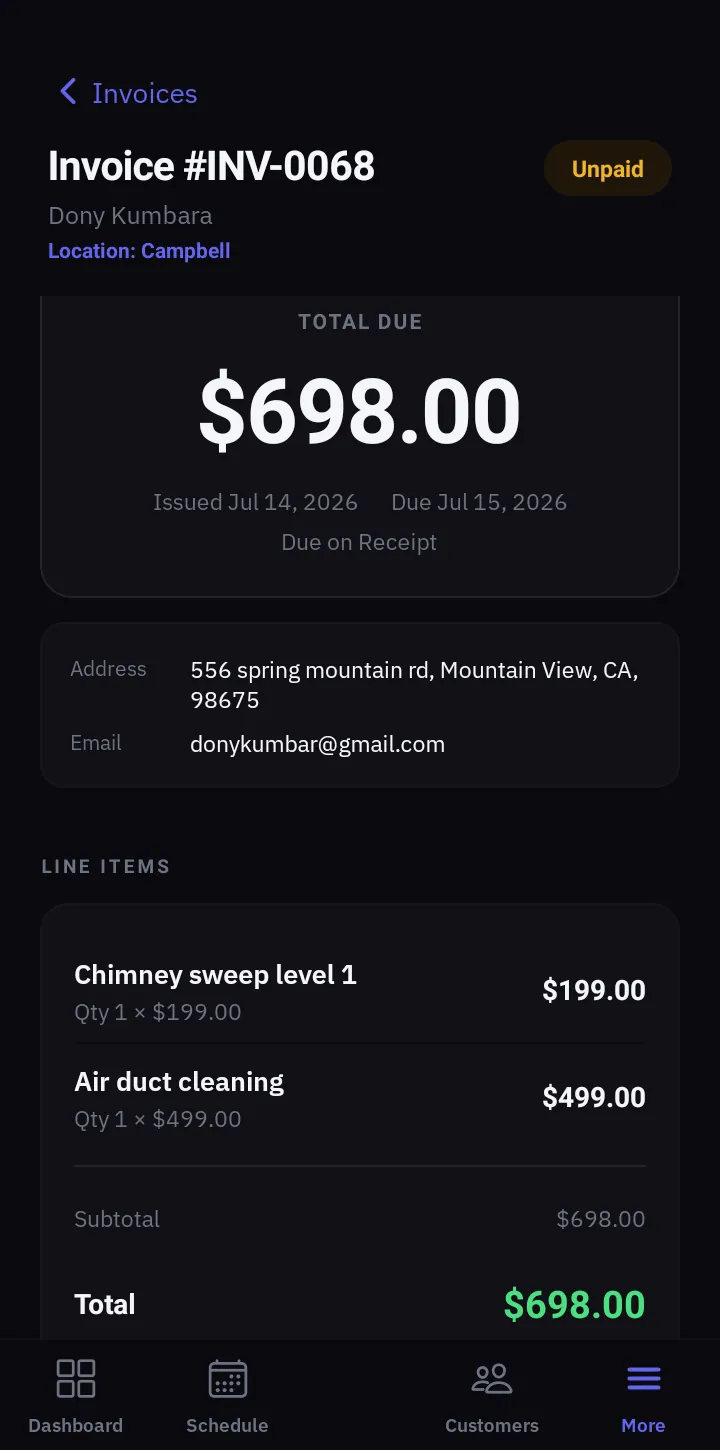
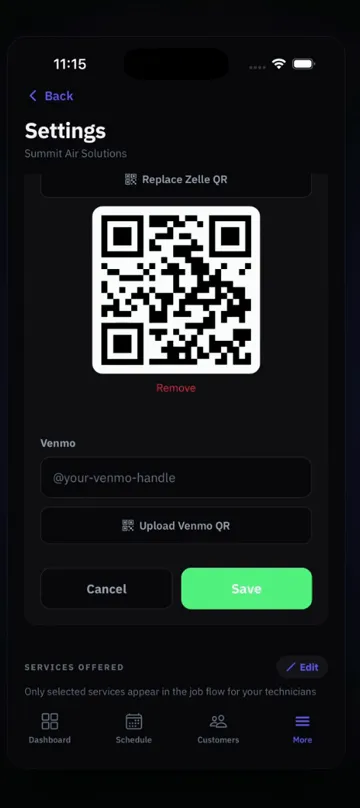
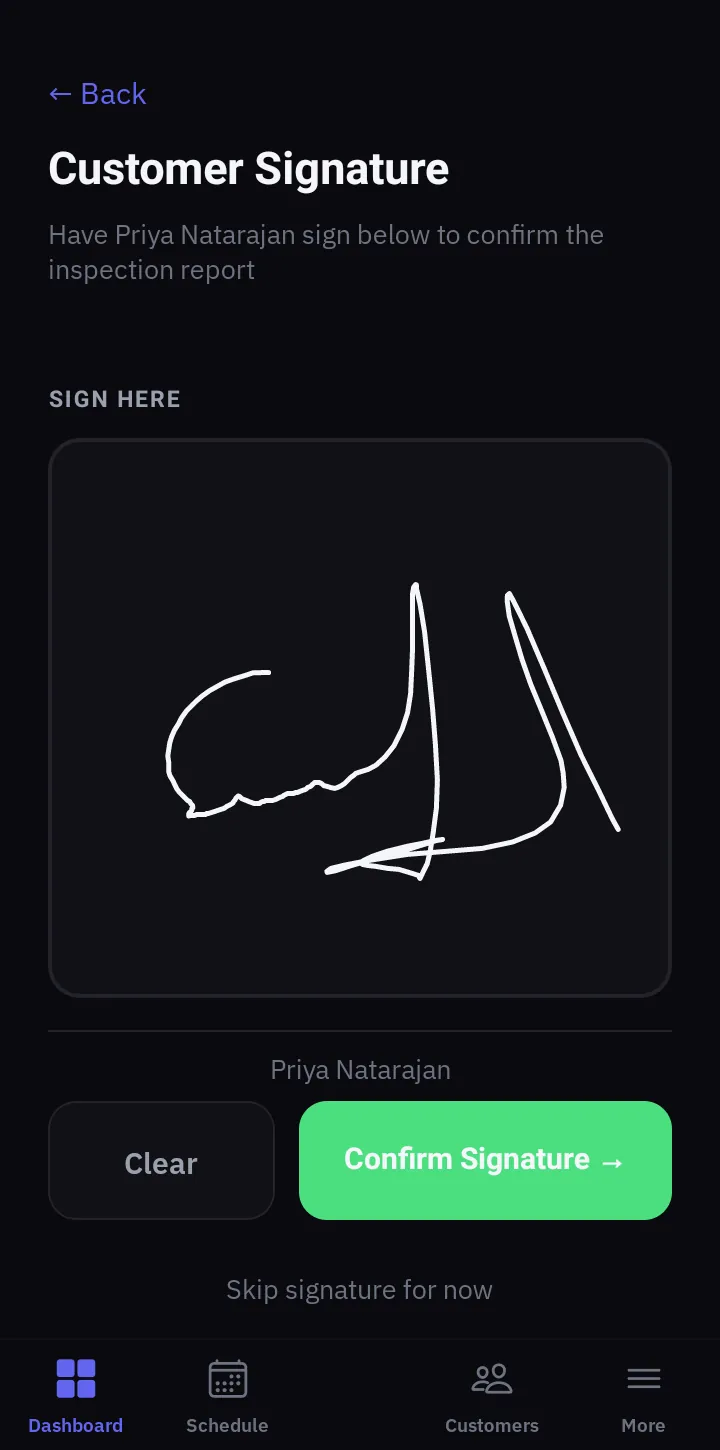
- Signature, then get paidThe customer signs on the phone. Card, Zelle or Venmo QR, right from the invoice.
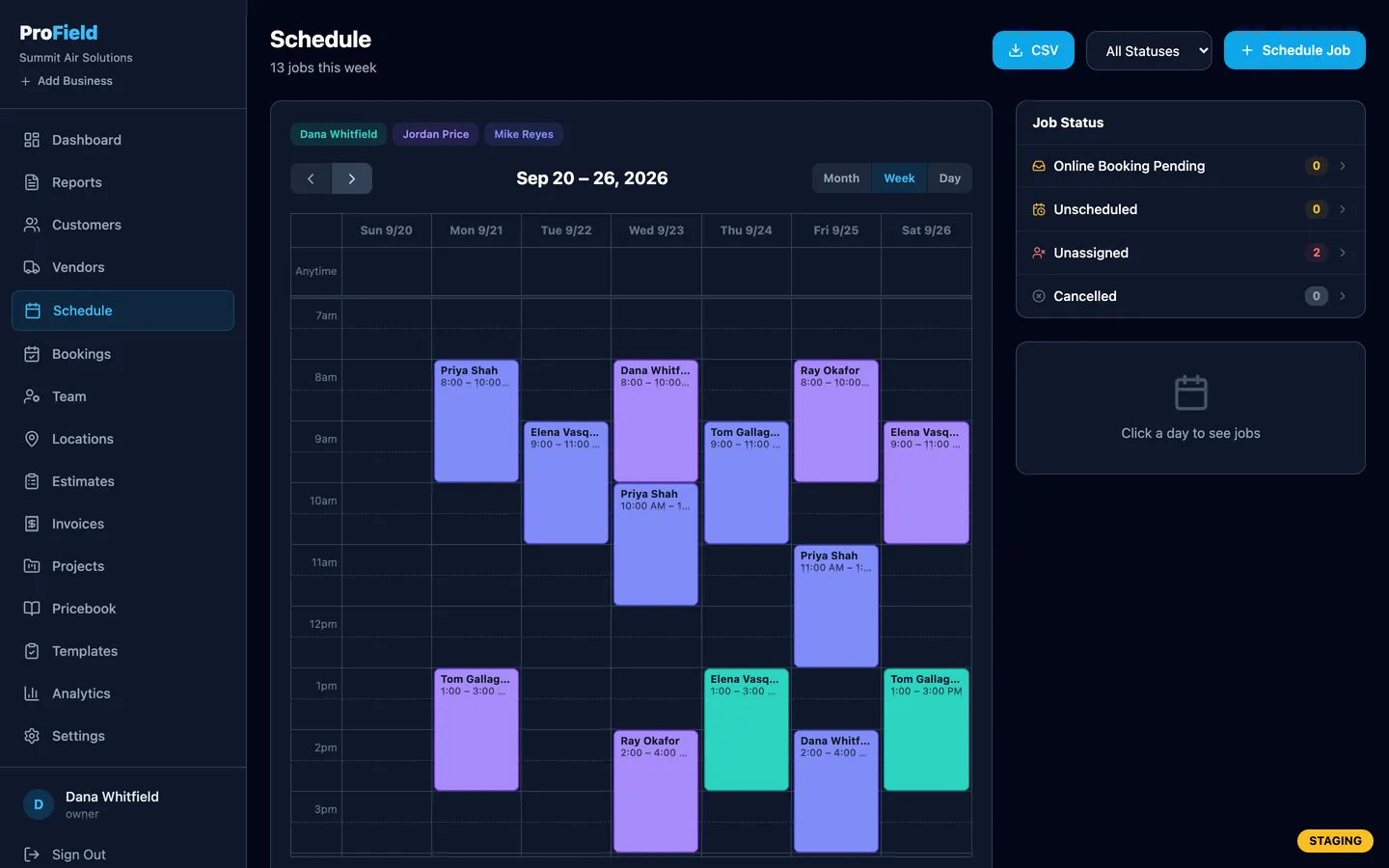
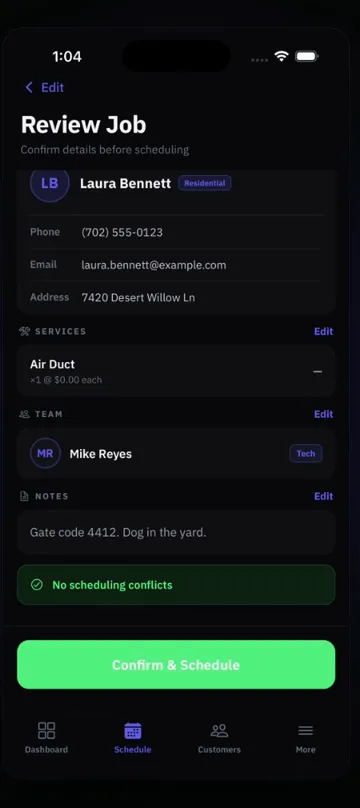
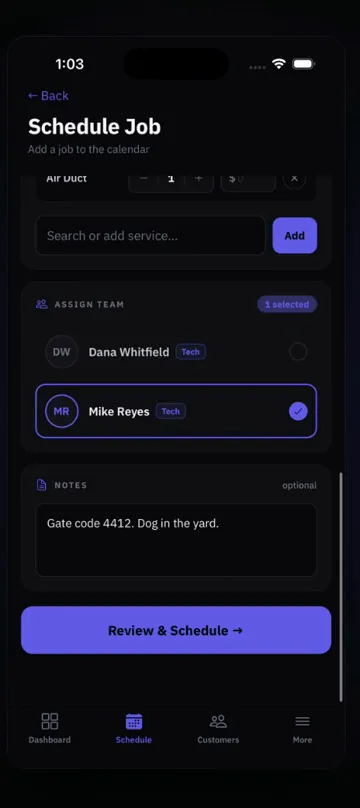
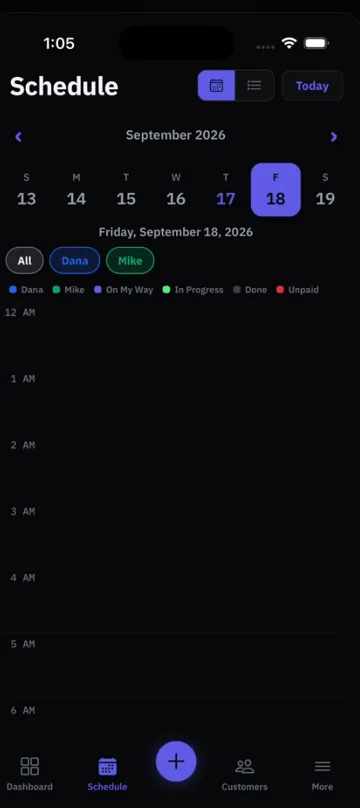
- Schedule and assign techs across locationsMonth, week and day views, one color per tech, every location in one place.
- Online booking link you text to a customerThey pick a time and a service. The request lands on your schedule.
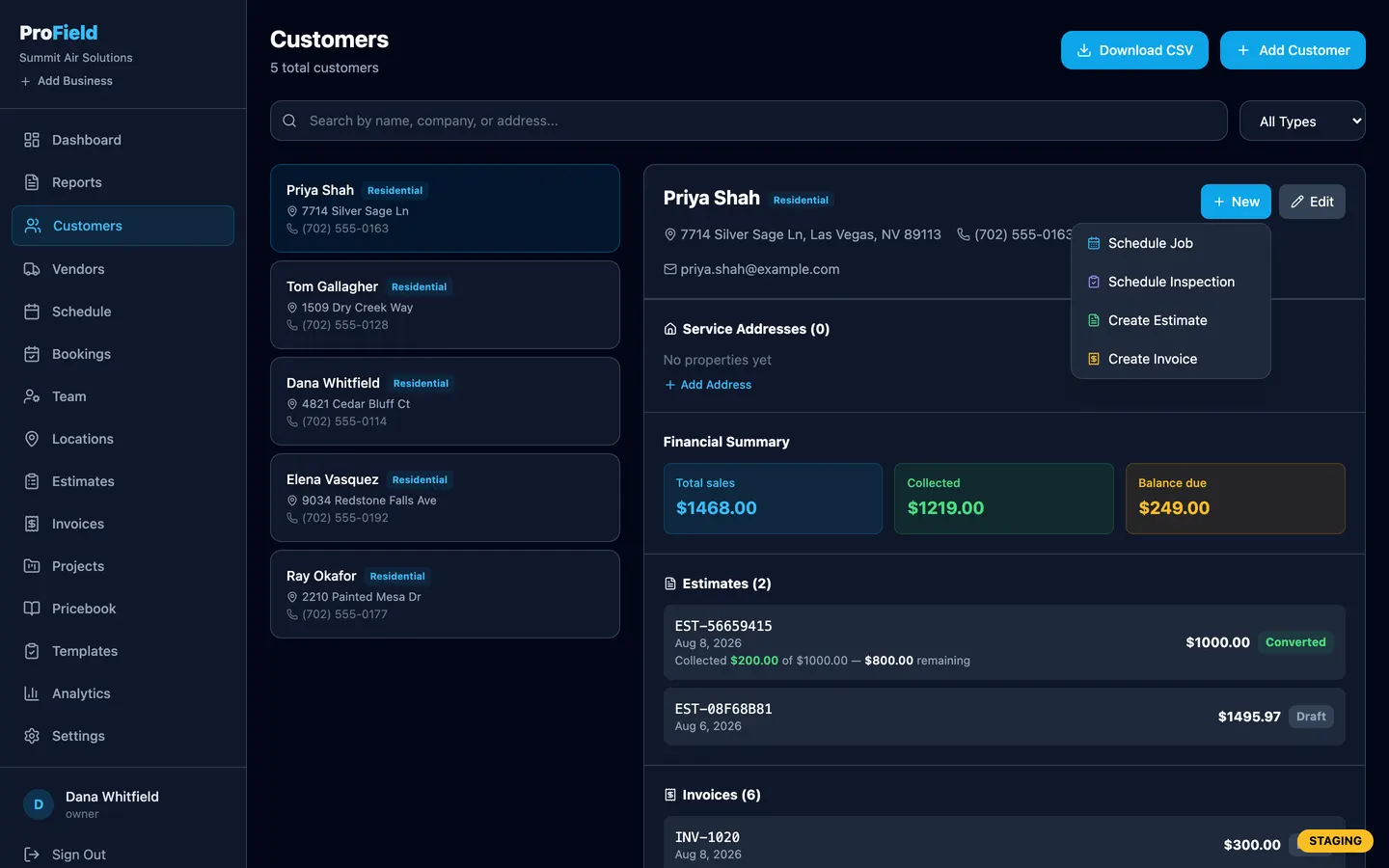
- One-click job, estimate and invoiceFrom the customer record or the schedule, without retyping.
- Analytics and CSV exportWhat was done, what was billed, what is still open. Export it when the accountant asks.
How it works
One job, start to paid, in one app.
- Step 1 of 5
Book the job
On the web dashboard or the phone. Online booking drops requests straight onto the schedule, and the tech gets it on their phone.
- Step 2 of 5
Inspect on-site
Tap through your checklist: pass, fail, N/A, photos, measurements with units. It works with no signal and syncs when you are back in range.
- Step 3 of 5
The AI writes the report
A customer-ready narrative in about 30 seconds. Read it, edit it, get the signature on screen, send the branded PDF.
- Step 4 of 5
Send the invoice
Line items from your pricebook, Net-30 or Net-60 terms, PDF and email in one tap. Estimates convert to jobs and invoices without retyping.
- Step 5 of 5
Get paid
Card from the invoice link into your own account, Zelle or Venmo QR on every invoice, cash or check recorded with a receipt photo. The invoice marks itself paid.
- Phone: the tech books, inspects, photographs, signs and sends.
- Web dashboard: the office schedules, quotes, invoices, tracks payments and runs the team.
- Both: the same login, the same data, the same second.
Real screens
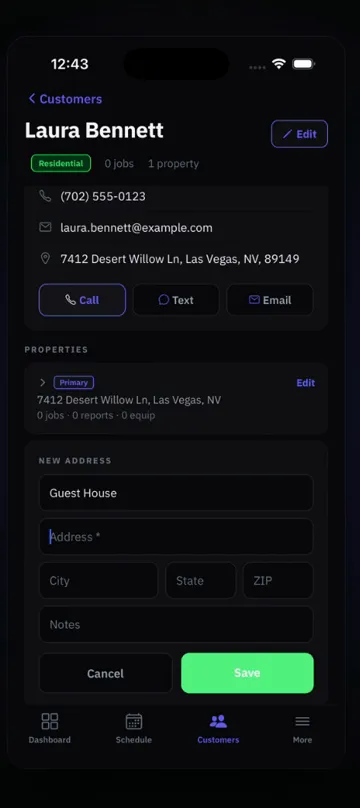
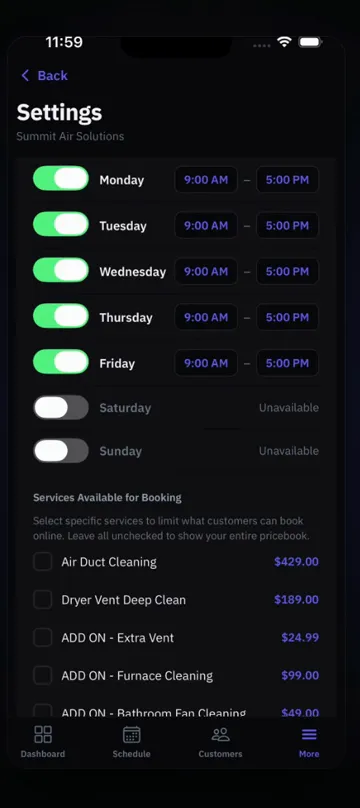
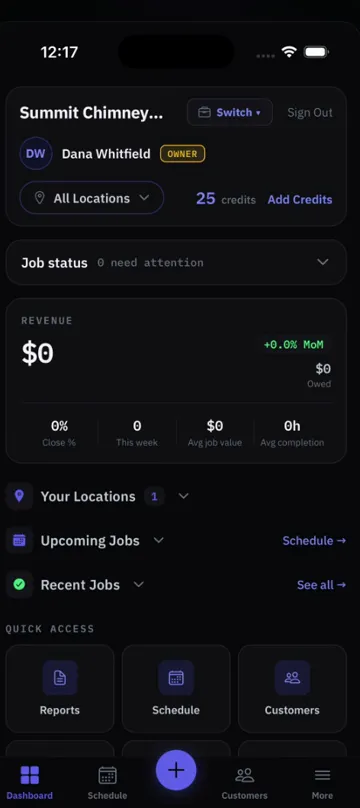
Every screen here is the real app. Every page is a real report.
Drag the ring, or let it turn. Nothing mocked up.
What makes us different
Six things you will notice on the first job.
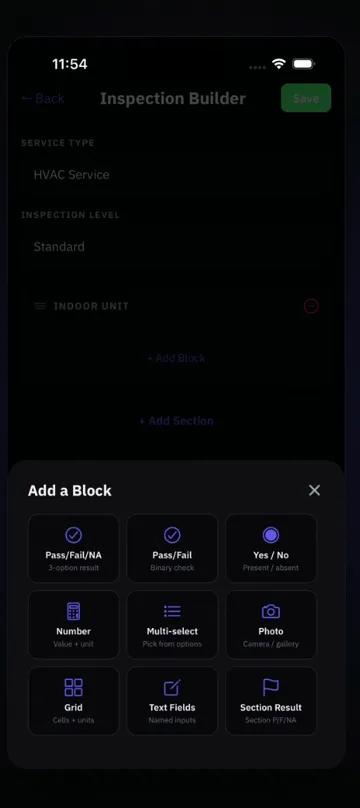
Build your own inspection forms
Ready-made checklists for almost every trade, or build your own in minutes. On the phone or the web dashboard.
Reports write themselves
The AI reads your results, notes and photos and writes the narrative. You edit, the customer signs, the PDF carries your logo.
Commercial customers stay private
Mark a customer commercial and techs on that job see only the service address. No name, phone, email, price or invoice.
One login for many locations and businesses
Run several locations under one account, or several companies under one login. Each keeps its own customers, jobs and settings.
Works with no signal
Everything saves on the device first. Basements, mechanical rooms, rural routes: the job finishes, then it syncs.
Get paid your way
Card payments from the invoice land in your own account. Zelle and Venmo QR codes print on every invoice. Cash and check get a receipt photo.
Any trade
Build your checklist in under 10 minutes. Or we build it for you, free.
Sections, items, field types, photo requirements. Save it once and every tech runs it on every job, with your logo on every report. Ready-made checklists are waiting for chimney, air duct, dryer vent and auto work. For anything else, build it or call and we add it to your account.
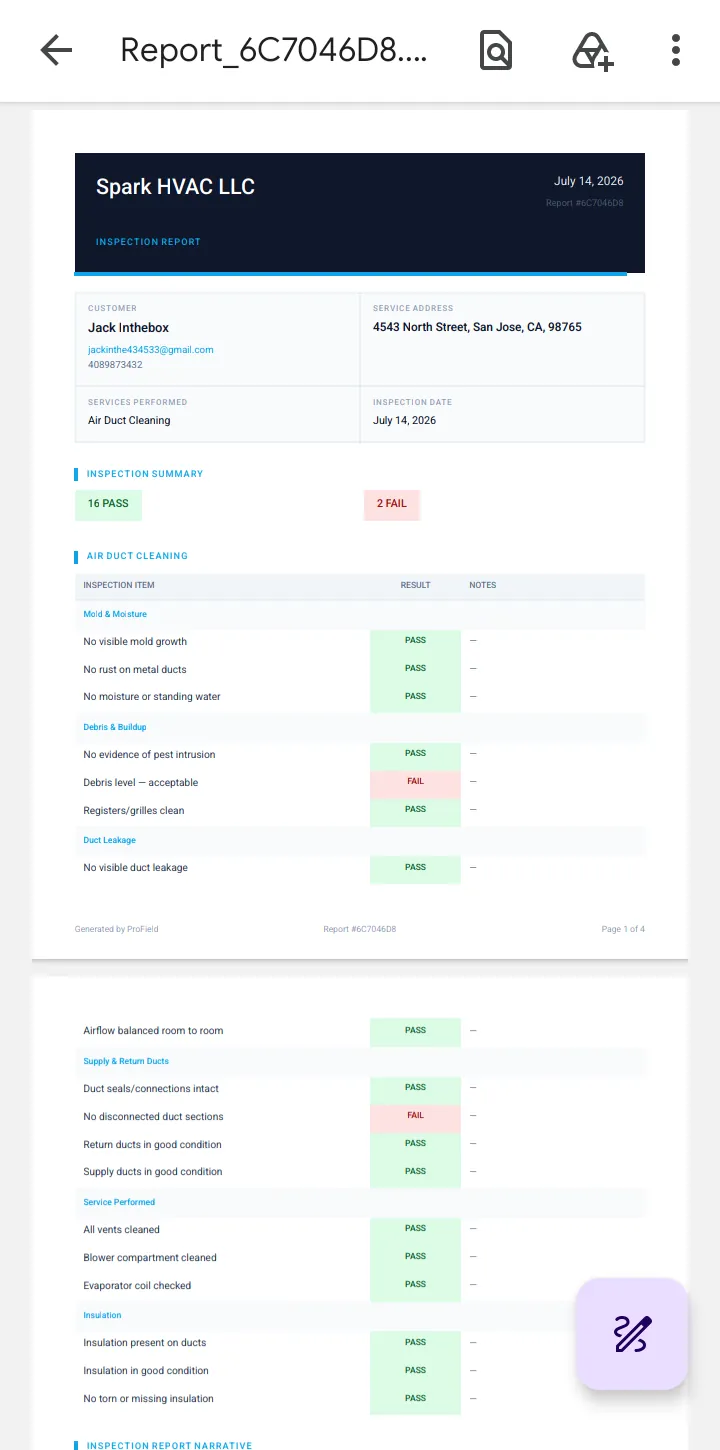
The report
What your customer keeps.
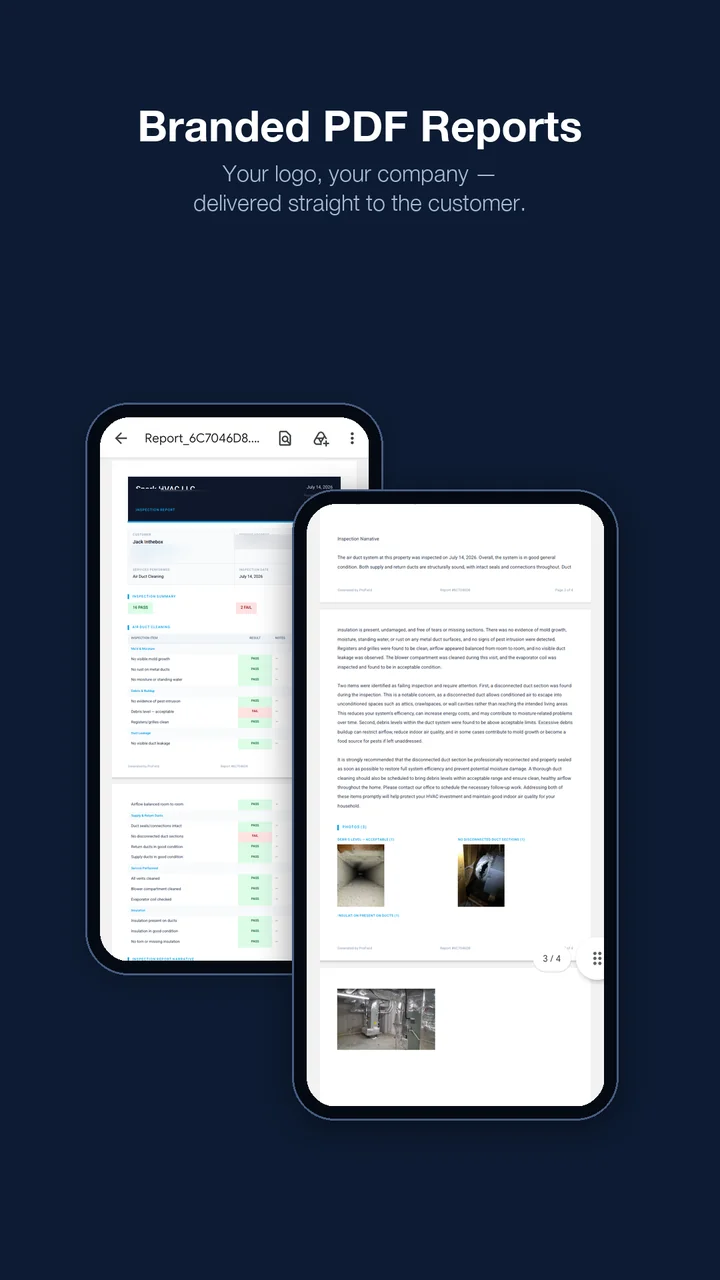
Your logo and company details in the header. Color-coded findings. Measurements where they belong. Before and after photos next to the finding they document. The customer's signature. The narrative the AI wrote and you approved. Emailed before you pull out of the driveway.
- ✓Branded header and footer
- ✓Pass / fail / N/A per item
- ✓Photos tied to findings
- ✓Signature embedded
- ✓Readings with units
- ✓Invoice attached when you want it
Watch it work
Two minutes, two videos.
Booking a job, then photos and an AI-written report. Real screens, narrated.

Payments
Three ways to get paid. All of them yours.
Card, from the invoice link
The customer taps the link in the invoice email and pays by card through Stripe. The money lands in your own account and the invoice marks itself paid. Stripe fee + 0.5% platform fee.
Zelle or Venmo, zero fee
Your QR code prints on every invoice. Record the payment when it arrives.
Cash or check
Record it in the app with a photo of the receipt. The balance updates everywhere.
Pricing
One plan. Everything in it.
14-day free trial. Full access to everything. No credit card.
Every feature included.
Add technicians for $9.99/mo each. Extra locations $10/mo, first one included.
- ✓Every feature included
- ✓AI-written reports included
- ✓Scheduling, estimates, invoices, payments
- ✓Online booking page
- ✓Custom inspection templates for any trade
- ✓Web dashboard for the office
- ✓Works offline, syncs when you reconnect
- ✓iOS and Android apps
The whole platform, phone and web.
Their own login. They see only their assigned jobs.
The first location is included.
Cancel anytime. Subscribing on the web dashboard is cheaper than subscribing in-app on iPhone ($28.99/mo) because of Apple's fee. Your subscription works on both platforms either way.
Questions about pricing? Call anytime, our AI assistant answers 24/7 and a team member calls you back. (888) 885-0440
Reviews
Built for the field, loved by techs
5.0 on the App Store. Every word below is the reviewer's own.
- ★★★★★
"We used to spend 20 minutes writing up each vehicle inspection in Word. Now my guys tap through the checklist and the AI writes it. Customer gets the PDF before we leave the driveway."
Max M. · Owner, Apex Auto Service - ★★★★★
"The auto inspection flow is exactly what I needed for my mobile mechanic business. Customers love the professional PDF with photos and the detailed findings."
Tino R. · Owner, Mobile Auto Restoration - ★★★★★Live savier
This app literally pays for itself after the first job
I don’t write reviews. Ever. But ProField deserves it.
Been in the commercial kitchen exhaust cleaning game for a long time and I’ve tried everything — paper forms, Google Docs, random apps that almost work. Nothing came close to what ProField does.
The inspection report feature is INSANE. I’m talking fully customized, professional PDF reports generated right from my phone, with photos attached, before I even roll up my hose. Customers look at it and their jaw drops. I’ve had people sign maintenance contracts on the spot just because of how polished it looks.
And if you’re running multiple trades — I do exhaust cleaning AND other services — the location and business management is a lifesaver. Everything organized, separated, clean. Just like the kitchens I leave behind 😄
The fact that this was built by actual field guys shows in every single feature. They didn’t build what they THOUGHT we needed. They built what we ACTUALLY use every day.
Affordable? Don’t even get me started. I charge more per job now because I look more professional. This app made me money.
Stop reading this. Download it. Thank me later. 🙌
KhanLeeee · App Store review - ★★★★★Makes my daily routine way easier
I’ve been using this app for a while and it actually made my daily stuff a lot easier. The main thing I liked is how quick it is to add things I need to do and then see everything in one place. It really helped me stay more organized and keep track of my day without getting lost in different notes or apps.
The task and notes feature is the most useful part for me. Whatever I write doesn’t get lost, I can always go back and check it anytime. Searching and finding old stuff is also pretty easy, which saves a lot of time.
The reminders are also really helpful because I don’t forget things as much anymore and it keeps me on track during the day. Everything being in one place just makes it way more convenient, I don’t need to switch between different apps.
Overall it actually made my daily routine smoother and saved me time. I’m really satisfied with it and I’m giving it 5 stars 👍
mekhrabecem · App Store review - ★★★★★Omg
This software is extremely useful. I do repair and maintenance work as an individual user, and it has helped me a lot. I just recently discovered it, and I’m honestly glad I did. After trying many different tools, this is finally one that works exactly the way I need it to. It has saved me time, made my work easier, and helped me solve problems much faster.
So far, I’m very impressed and highly recommend it to anyone who does repair, troubleshooting, or maintenance work. Great software and a great experience overall!
uucttdtfu · App Store review - ★★★★★Before 5 years I used Housecall Pro and spent a lot money. But now I used ProFrield is so better
Before 5 years I used Housecall Pro and spent a lot money. But now I used ProFrield is so better
Vlad Vegas · App Store review
Does ProField work without internet?
Yes. ProField saves all inspection data locally on your device first. When you get back to WiFi or cell service, everything syncs automatically to the cloud. Your past reports are always accessible offline too.
How does the AI report generation work?
AI reads your checklist results, notes, and photos and writes a professional 2–3 paragraph narrative tailored to what was found. You can read and edit it before sending. The whole process takes about 30 seconds.
Do AI reports cost extra?
No. Every AI-written report uses one credit, and every subscription includes 50 credits each month. Most teams never run out. If you do, extra credits are inexpensive and you can add them anytime from your account.
Can I add my company logo to reports?
Yes. Upload your company logo in Settings and it will appear on every PDF report you generate. Your company name, address, and contact info also appear in the header.
How many technicians can I add?
As many as you need. Each technician is $9.99/mo and gets their own login. Add or remove techs anytime from the plan management screen. As admin, you see all jobs, reports, and history from every tech on your team.
Is there a free trial?
Yes. Every new account gets a full 14-day free trial with access to every feature, so you can see if ProField is right for your business. No credit card required.
Is my customer data secure?
Yes. All data is encrypted in transit and at rest, and your company's data is kept separate from every other company's. We do not sell or share your data. See our full privacy policy for details.
Can I customize the checklists?
Yes. Use ready-made checklists for common trades, or build your own in minutes, on your phone or the web dashboard, and every report it produces gets your branding. If you would rather not build it yourself, call or send the form and we add it to your account, free.
What platform is ProField available on?
ProField is available on iOS (iPhone) and Android — download it from the App Store or Google Play. The web dashboard runs in any browser.
How do commercial customers work?
Mark a customer as commercial and it happens automatically: technicians assigned to that job see only the service address — no customer name, phone, email, price, or invoice. Owners and admins see everything.
How do I get paid?
Three ways. Card payments from the invoice link go straight to your own account and mark the invoice paid (Stripe fee + 0.5% platform fee). Your Zelle or Venmo QR code prints on every invoice for zero-fee payments. Cash and check payments are recorded in the app with a photo of the receipt.
Where is ProField used?
Anywhere. ProField is used by field service businesses in the United States, Canada, the United Kingdom, Brazil, Mexico and other countries. Customers pay by card through Stripe — the money goes to your own account. Zelle and Venmo are a US option; cash and check can be recorded anywhere. US and Canadian address and postal-code formats are supported today; other addresses can be entered as free text.
Start for free
Your next inspection ends with a PDF in two minutes.
14-day free trial. Full access to everything. No credit card. Questions first? Call (888) 885-0440 anytime.
iPhone: download the app and sign up right inside it. Android: create your account online (your subscription and billing are managed on the web), then sign in on the app.