Estimates & Invoices
The Estimate and Invoice App for Contractors Who Want to Get Paid on the Driveway
Price the job from your pricebook, send the estimate for a one-tap approval, convert it to the job and the invoice without retyping, and put a card link plus your Zelle or Venmo QR on every invoice.


Last updated
Estimates that get approved
An estimate written on the back of a card gets forgotten. An estimate emailed as a branded PDF with a one-tap approval gets answered. ProField builds the estimate from your pricebook with quantities, attaches the inspection report if there is one, and tracks whether it was opened and approved.
- Line items from your saved pricebook, with quantities and unit prices.
- Import your pricebook and your customer list from CSV.
- Custom blocks for scope, terms, and notes; your logo in the header.
- Approved estimates convert to a scheduled job and an invoice in one step.
- Change orders and work orders for larger jobs, from the web dashboard.
Invoices that get paid
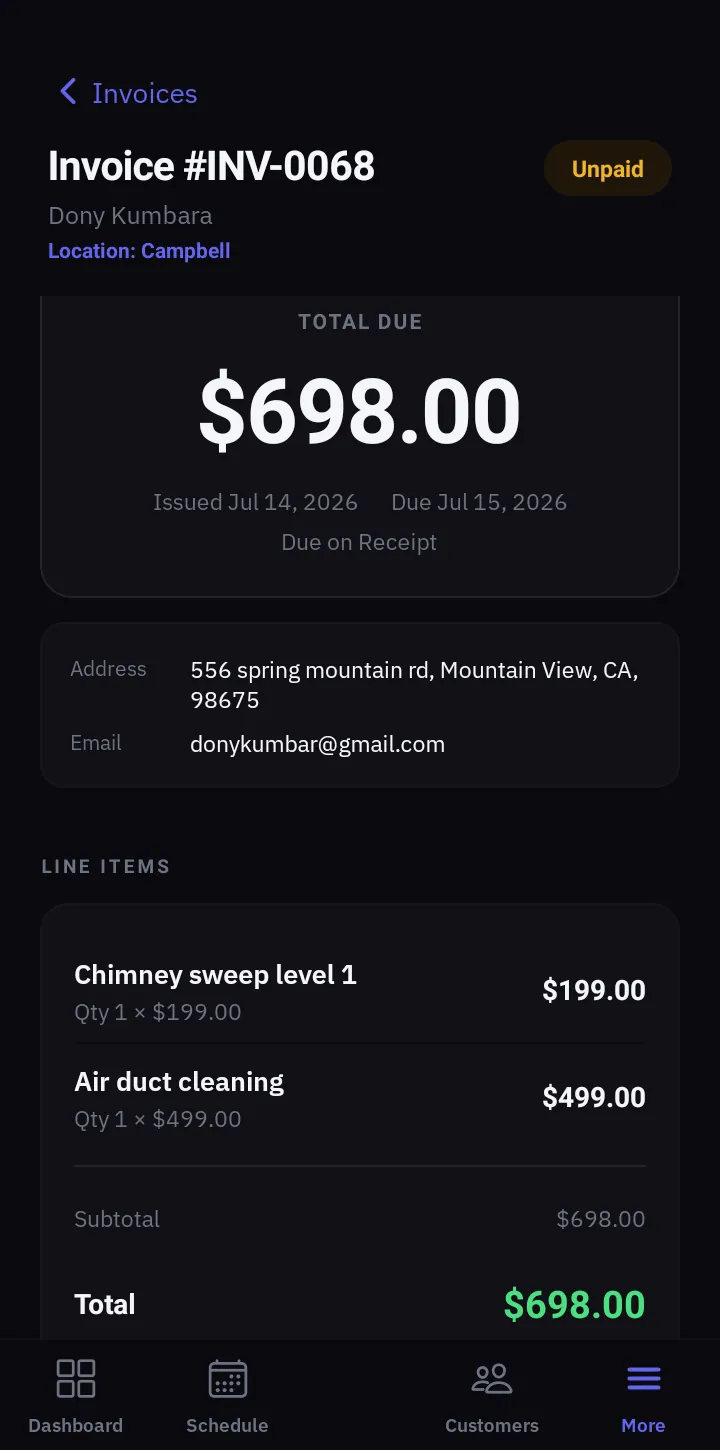
Every invoice is emailed as a branded PDF with the payment options your customer actually uses. Cards for the customer who wants points, Zelle or Venmo for the one who hates fees, and a cash or check record for the one who pays at the door.
- Card payments: a Pay Online link on the invoice; money goes to your own account and the invoice marks itself paid. Stripe fee plus a 0.5% platform fee.
- Zelle / Venmo: your QR codes print on the invoice. Zero fees. Mark it paid when the transfer lands.
- Cash / check: record the payment in the app with a photo of the receipt or check.
- Terms: due on receipt, Net 15, Net 30, Net 60. Past-due shows on the invoice.
- Receipts: a paid invoice re-sends as a receipt.
The office view
The web dashboard shows every estimate and invoice, who owes what, and a CSV export for your bookkeeper. Analytics show close rate and revenue. Commercial customers are handled automatically: techs see the address, never the price.
- One-click estimate, invoice, or job from a customer record.
- Invoice CSV export for accounting.
- Team access levels: techs invoice, owners and admins see everything.
- Multi-location and multi-business under one login.
Pricing
One plan. Everything in it.
14-day free trial. Full access to everything. No credit card.
Every feature included.
Add technicians for $9.99/mo each. Extra locations $10/mo, first one included.
- ✓Every feature included
- ✓AI-written reports included
- ✓Scheduling, estimates, invoices, payments
- ✓Online booking page
- ✓Custom inspection templates for any trade
- ✓Web dashboard for the office
- ✓Works offline, syncs when you reconnect
- ✓iOS and Android apps
The whole platform, phone and web.
Their own login. They see only their assigned jobs.
The first location is included.
Cancel anytime. Subscribing on the web dashboard is cheaper than subscribing in-app on iPhone ($28.99/mo) because of Apple's fee. Your subscription works on both platforms either way.
FAQ
Common Questions
Which invoice app lets me put Zelle and Venmo on the invoice?
How do card payments work and what do they cost?
Can I convert an estimate into an invoice without retyping?
Can I import my price list?
Is it an invoicing app only, or a full field service app?
Explore ProField
One app for every trade and every job
Trades
Features
Compare
Send the Estimate Today, Get Paid Tomorrow
14-day free trial, every feature, no credit card. Import your pricebook from CSV and send your first estimate.
Start Free Trial Call (888) 885-0440Questions? Send the form — monitored 24/7